



Beebole + Asana
Track time on your Asana projects in Beebole — automatically synced, with budgets, costs, and approvals.
What is Beebole?
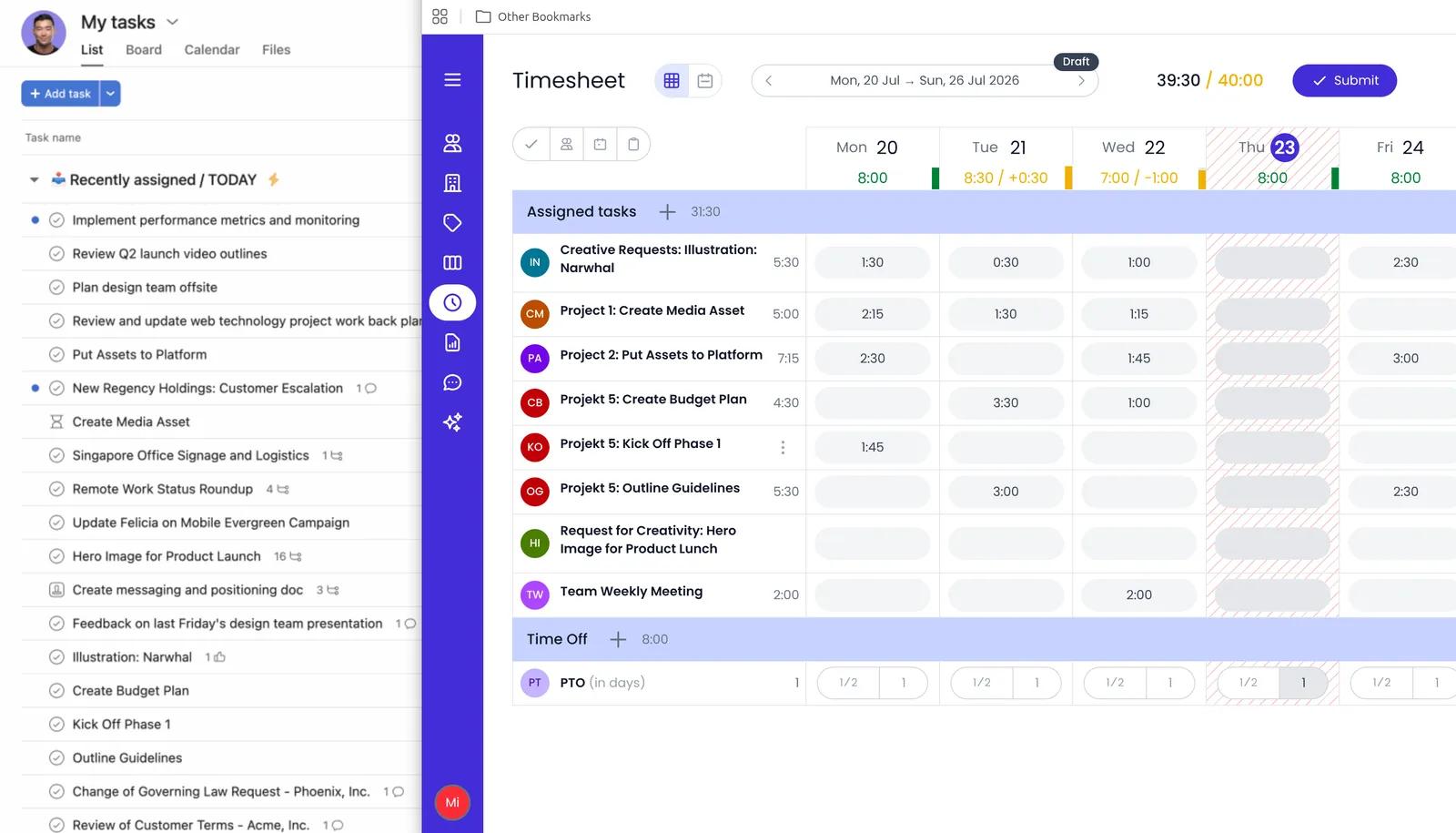
The Beebole integration imports your Asana project and task structure into Beebole and keeps it current via webhooks — additions and name changes sync automatically, while deletions are picked up periodically or on demand via the manual sync button.
Your team logs time in Beebole directly against those Asana projects and tasks, so there's no need to maintain a separate structure in two places.
On top of that tracked time, Beebole adds per-project budgets, billing and cost rates, margin tracking, and multi-stage timesheet approval workflows. People are imported once at setup, and you choose whether Asana entities map to Beebole projects or tasks.
How to connect Beebole + Asana?
Prerequisites:
- An active Beebole account (free trial available)
- An Asana workspace with admin or member access
Step 1 — Open the Asana integration in Beebole
In your Beebole account, go to Admin Settings → Integrations → Asana.
Step 2 — Connect your Asana workspace
Click Connect with Asana and authorize Beebole to access your workspace. The popup will close automatically once the connection is established.
Step 3 — Configure import settings
Choose how Asana entities map into Beebole:
- Import mode: Decide whether Asana projects import as Beebole projects or tasks — whichever fits your reporting structure.
- Default role: Select the role automatically assigned to any Asana team members imported into Beebole.
Step 4 — Import your workspace
Click Import to pull your Asana projects, tasks, and people into Beebole. The import runs immediately. If the connected user owns more than one workspace, a drop-down list will be presented to select the one to integrate with.
Step 5 — Stay in sync automatically
Beebole uses Asana webhooks to keep your data up to date in real time. Any changes made in Asana — new projects or tasks — are reflected in Beebole automatically.
Example use case
A project manager creates tasks in Asana as usual. In Beebole, team members log time directly against those synced tasks. The manager sees actual hours, costs, and budget consumption in Beebole without any double entry.
Learn more and get support
To learn more about using the Beebole + Asana integration, visit Beebole.
If you have questions, feedback, or need support, visit the Beebole support page.
Asana does not endorse or certify apps built by third-party developers. If you encounter inappropriate content or behavior, please report it here. Otherwise, please contact the app developer for support.
Collaborate effortlessly with Asana
From the small stuff to the big picture, Asana organizes work so teams know what to do, why it matters, and how to get it done. It's free to get started, simple to use, and powerful enough to run your entire business. Learn more about Asana today.